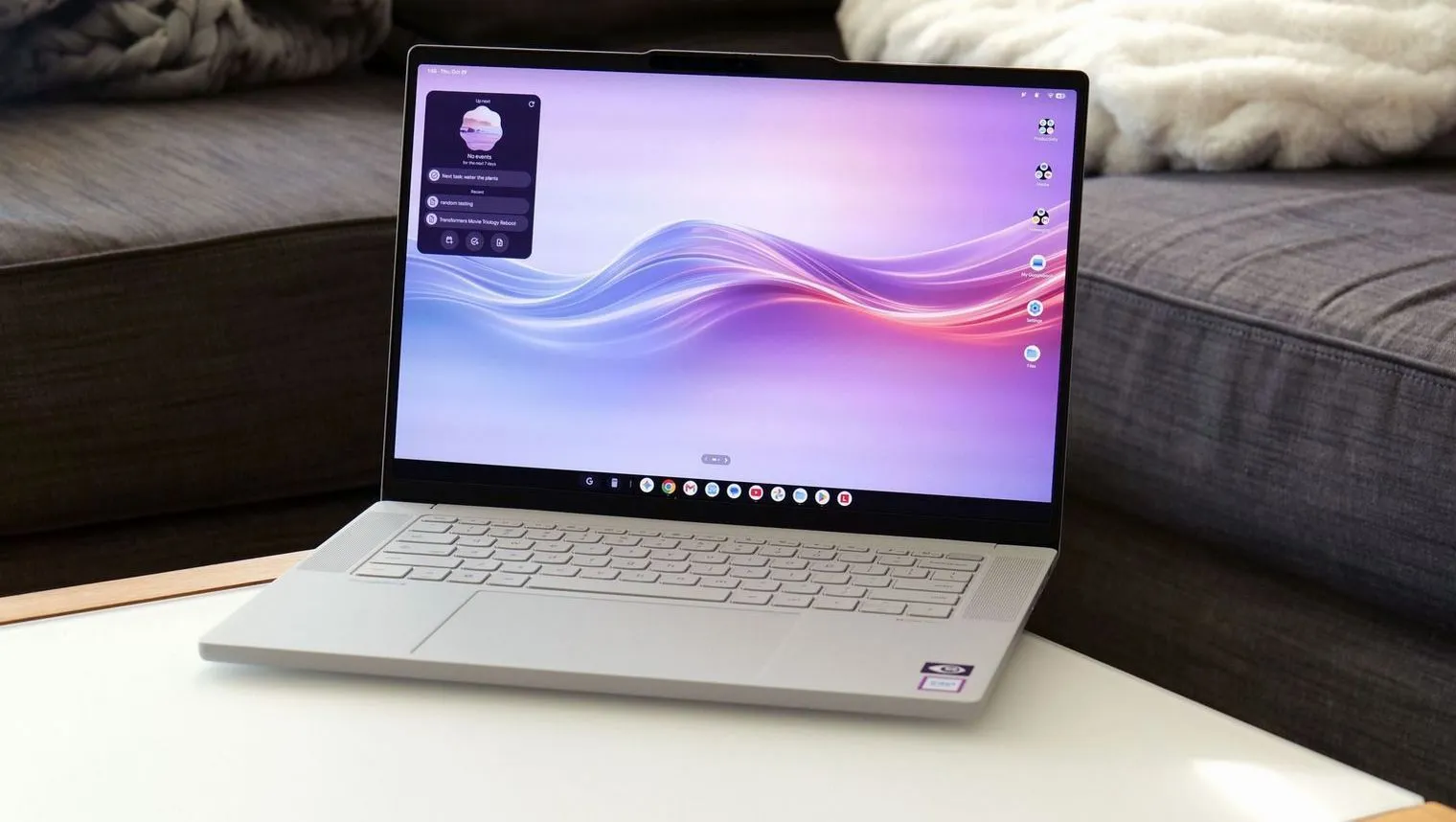
Lenovo has delivered a stunning piece of machinery with the Googlebook 15, though the experience is slightly dampened by a software platform that still feels like it is finding its footing. On the surface, the device is an absolute triumph of industrial design. Wrapped in a silk touch finish that mimics unglazed porcelain and constructed from a lightweight blend of carbon fiber and magnesium alloy, it manages to be lighter than a 14 inch MacBook Pro despite its larger footprint. The centerpiece is a gorgeous 15.3 inch OLED display with a smooth 120Hz refresh rate that brings colors to life with impressive brilliance, making it one of the most visually appealing laptops in its price bracket.
Under the hood, the hardware remains equally ambitious. With an Intel Core Ultra 5 processor and a minimum of 16GB of RAM, the machine handles standard productivity tasks with ease and outperforms several mid range competitors in raw processing power. Lenovo further enhances the package with punchy quad speakers, a satisfyingly tactile keyboard, and a clever lightbar on the lid that communicates battery levels and AI activity through shifting colors. While some small details, such as the placement of those LED animations, may feel misplaced since they face away from the user, the overall build quality is so high that one cannot help but wish this chassis were available for other operating systems.
However, the transition to Googlebook OS reveals where the project currently struggles. By attempting to merge the worlds of Android and Chrome OS, Google has created an interface that feels intuitive and familiar but lacks deep optimization. Users will find themselves running mobile versions of popular software rather than full desktop applications; for instance, Photoshop appears as its limited mobile edition rather than a powerhouse creative tool. Because many Android apps are built for different processor architectures, some users may encounter occasional stutters or bugs that suggest first generation software instability.
Despite these hurdles, there is a compelling reason for Android enthusiasts to dive in regardless: the seamless integration between phone and laptop. Through various Better Together features, pairing your smartphone via a simple QR code unlocks powerful cross device capabilities including effortless file dragging and dropping and synchronized notifications. For those who live within the Google ecosystem, this level of synergy transforms the laptop into an extension of their handheld device. While casual users might want to wait for future updates to iron out the kinks, early adopters will find here a glimpse into a highly connected future wrapped in world class hardware.